PC Building is a creative exercise
So late last year, shortly after my previous post, I talked myself into upgrading my PC a second time. This was prompted by the the fact the an Intel CPU, the i5-14600K, was on sale for about $170. The price had been falling for some time (and has now rebounded over $300!). This generation of Intel CPUs had been plagued by oxidation and degradation which led to an early demise. These apparent design flaws, plus the fact that the 14th Generation of Intel CPUs were only a modest improvement over the prior 13th generation, had damaged Intel's reputation considerably.
With the ascent of communities like PCPartPicker and reddit's r/buildapc, I think a there is a temptation to simply build what the internet consensus recommends. At the end of last year, that consensus was solidly on Team Red - AMD CPU, AMD GPU - for a number of very good reasons. Of note, this is the exact opposite of the consensus that existed a decade ago - where Intel/NVIDIA were the premium choices, and AMD was the budget option. But over the last several years, with Intel's missteps, AMD has built a reputation as a consumer-friendly brand and has been rewarded with increasing marketshare. In some corners of the internet you would be mocked for even suggesting an Intel-based PC.
And yet, I purchased an Intel CPU, and built a PC around it. Why?
Because it made sense for my use-case, and because of local prices.
I think we can lose sight of the fact that personal computing is just that - personal. And I think PC building can be a creative exercise, given that each builder has his/her own reasons and specifications for each machine. In my case, I wanted a PC for light gaming and virtual reality. I also enjoy streaming games to my living room TV. All these are RAM heavy applications, and new RAM is expensive now, so recycling my current DDR4 RAM is really important to me. If I were building today I might different decisions, if only because prices have changed.
In this post, I will walk through the specifications of my build. This is not a build log, but in this post I will articulate the reasons for the decisions I made.
CPU
So why was I comfortable buying a i5-14600K?
First: officially, the i5-14600K is on the list of CPUs affected by the degradation issue. But unofficial, third party data obtained by the developers of WarFrame seemed to suggest that it the i5 "tier" of processors were rarely affected - crashes were concentrated among the faster, hotter i7 and i9s. Supposedly this issue is fixed with new motherboard firmware.
Second, Intel (perhaps realizing the risk to their market share) extended the warranty period on affected processors from the standard 3 years to 5 years. This is helpful, since I tend to replace my home-built PCs every 5 years or so. Even if the chip itself does not last five years, I can expect a free replacement during the life-span of my machine.
Third, the 14th generation of Intel processors (including the i5-14600K) can be installed on motherboards using DDR4 or DDR5 RAM, and the former of these I could recycle from my previous build. The latest AMD CPUs (on the AM5 platform) require new DDR5 RAM (which is now incredibly expensive due to the AI/datacenter market), and the performance improvements of DDR5 over DDR4 in my applications are modest at best. Of note, AM4 CPUs (like the still-capable 5800X3D) can take DDR4 RAM, but these can no longer be purchased new, and resellers have raised the price unacceptably high to take advantage of the logic above. The i5-14600K at $170 was a great deal - the best CPU I could buy which would let me recycle my DDR4 RAM.
Motherboard
I have historically been a fan of small form factor builds (SFF) and therefore have favored ITX motherboards. However, building a SFF PC can be challenging for a number of reasons - the components are more expensive, the case layout is nonstandard, and assembly/troubleshooting can be a challenge in such a small space (sort of like building a ship in a bottle). So I think my SFF days are probably behind me (for now). I will be (re)using a case that can take ATX boards - the SilverStone FARA R1 which I introduced in my previous post.
In my research I was able to find an "open box" MSI Z690 TOMAHAWK DDR4 WIFI for $180. I wanted a Z-series board for overclocking ability (though it's unlikely I will attempt overclocking for another several years, especially given the small-but-real risk of chip degradation). It has a PCIe 5.0 slot (which is nice, but probably overkill) and four M.2 SSD slots, one of which is backward compatible with the M.2 SATA SSD I've owned for several years.
MSI has a good reputation, and at the time of this boards' release it was considered to have a good balance of features to cost. I also considered the MSI PRO Z690-A but lacks some of the gaming flair (like RGB headers and beefy VRMs for overclocking).
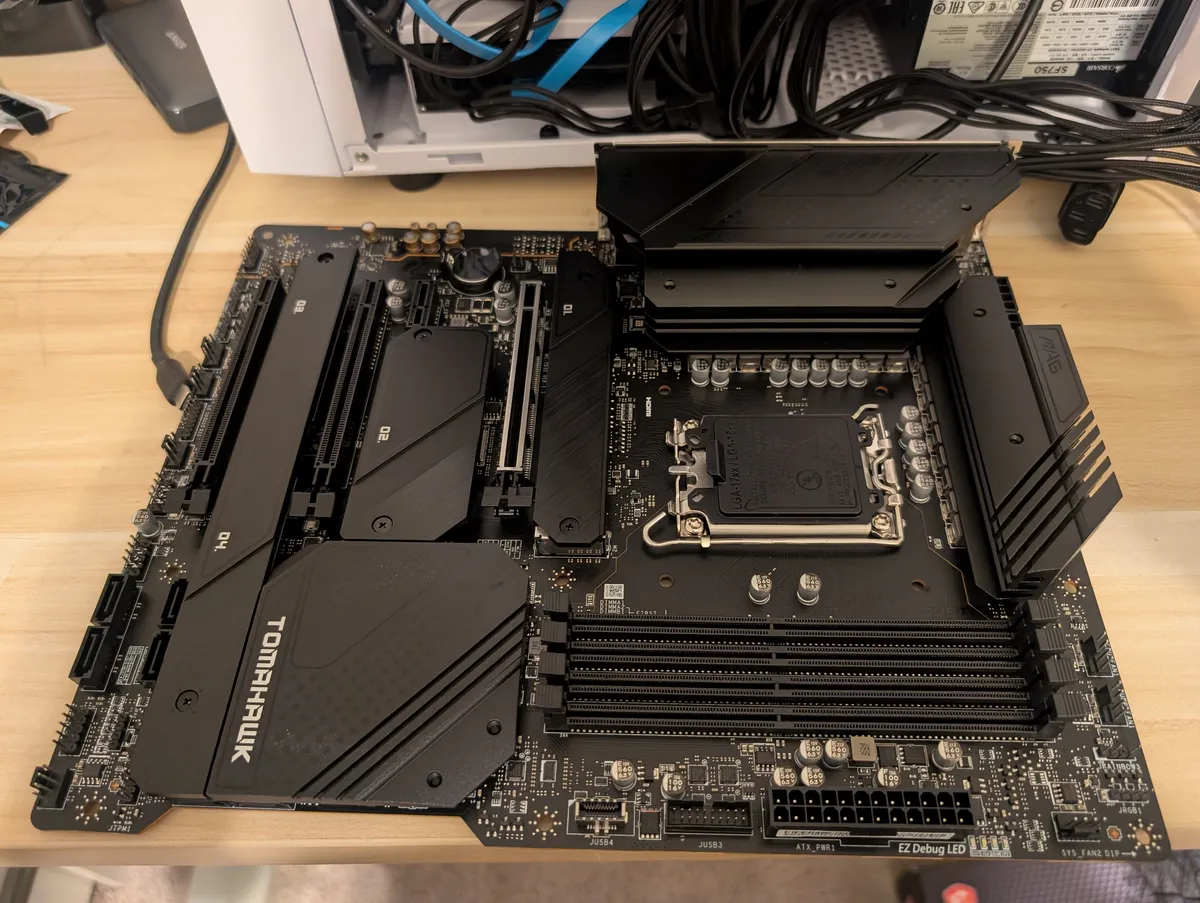
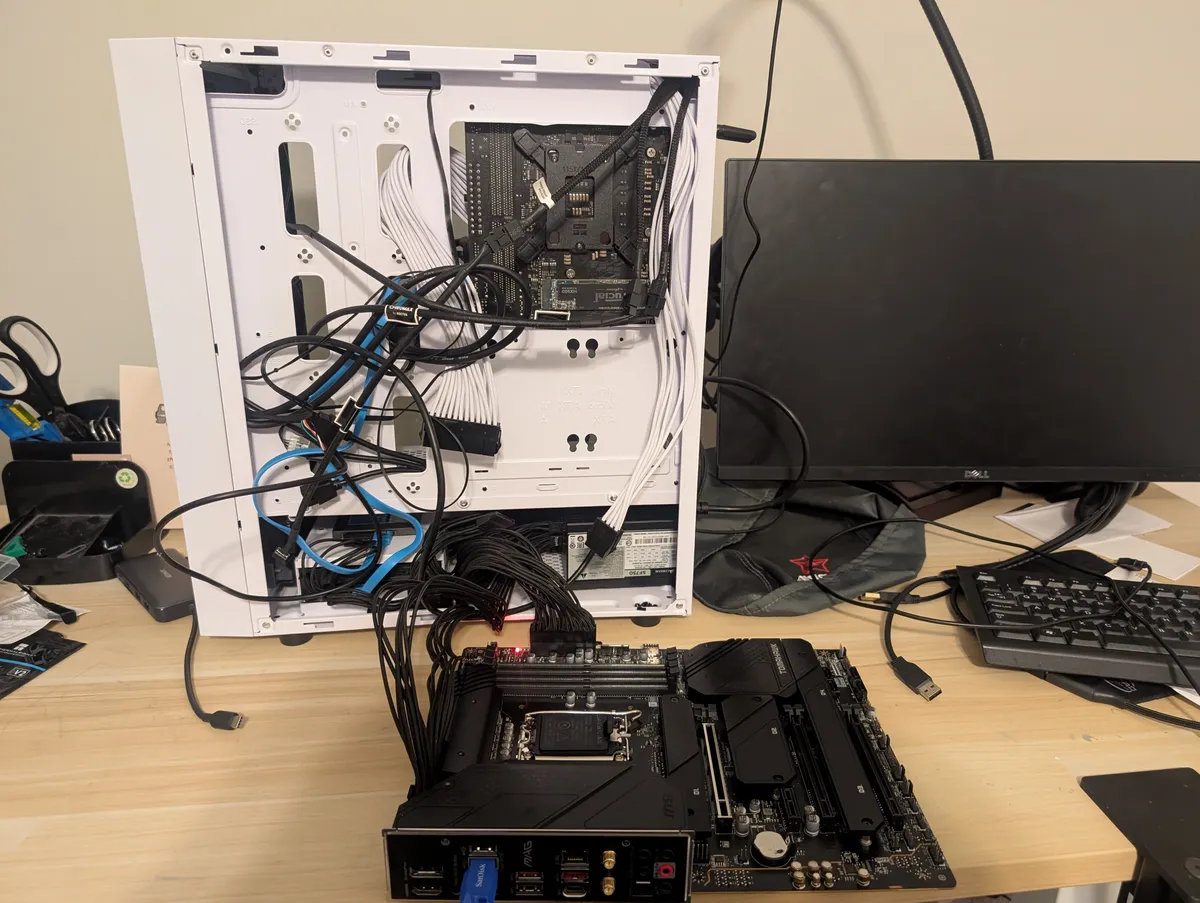
This motherboard needed a BIOS update - to fix the chip degradation issue, and to allow it to handle the 14th-generation i5-14600K. The update was simple enough and could actually be performed with a USB drive before installing the CPU (see image below - the new motherboard is powered with the old PC's power supply). Theoretically this should minimize the risk of voltage damage, oxidation, and early chip degradation.
Cooler
I recycled my Thermalright Peerless Assassin Digital air cooler, but I replaced the fans with two quieter Noctua NF-A12s (about $29 each). This cooler is unique in that it has a screen which gives a readout of current CPU and GPU temperatures. It plugs into a USB2 header on the motherboard. It works reasonably well, though the software which drives the screen tends to freeze and crash under extreme loads (like OCCT).
One might wonder why I picked air cooling over water cooling. The short answer is simplicity: air cooling is cheaper, simpler to install, and the components aren't likely to fail (it's just a hunk of metal with a fan). In the past I've used an AIO waterblock in a small, crowded case because I needed to move heat to a different part of the case so it could be exhausted. But in this roomy case, there's plenty of airflow, so that isn't necessary at all.
RAM
I recycled my existing RAM: CORSAIR Vengeance LPX DDR4 RAM 3200MHz. I had 32GB (2x16GB), but my new board has four RAM slots and I wanted to increase my capacity. I was actually able to find an identical RAM kit wit matching timings on eBay, for about $130. (Mixing RAM kits is always risky, but DDR4 is far more forgiving than DDR5 - yet another reason to stick with the older technology).
So now I have four sticks of 16 GB RAM -- 64 GB total - for $130 out of pocket. This is still a high price relative to two years ago, but it is much cheaper than buying new DDR4, and far cheaper than new DDR5. A 64 GB (4x16) DDR5 kit would be over $1000 today.
Admittedly, DDR5 would be faster than my DDR4 in benchmarks. But again: the actual, real-world performance benefits of DDR5 over DDR4 are limited. And further: the software I use most often - DCS - benefits from RAM capacity more than RAM speed.
Breadboarding
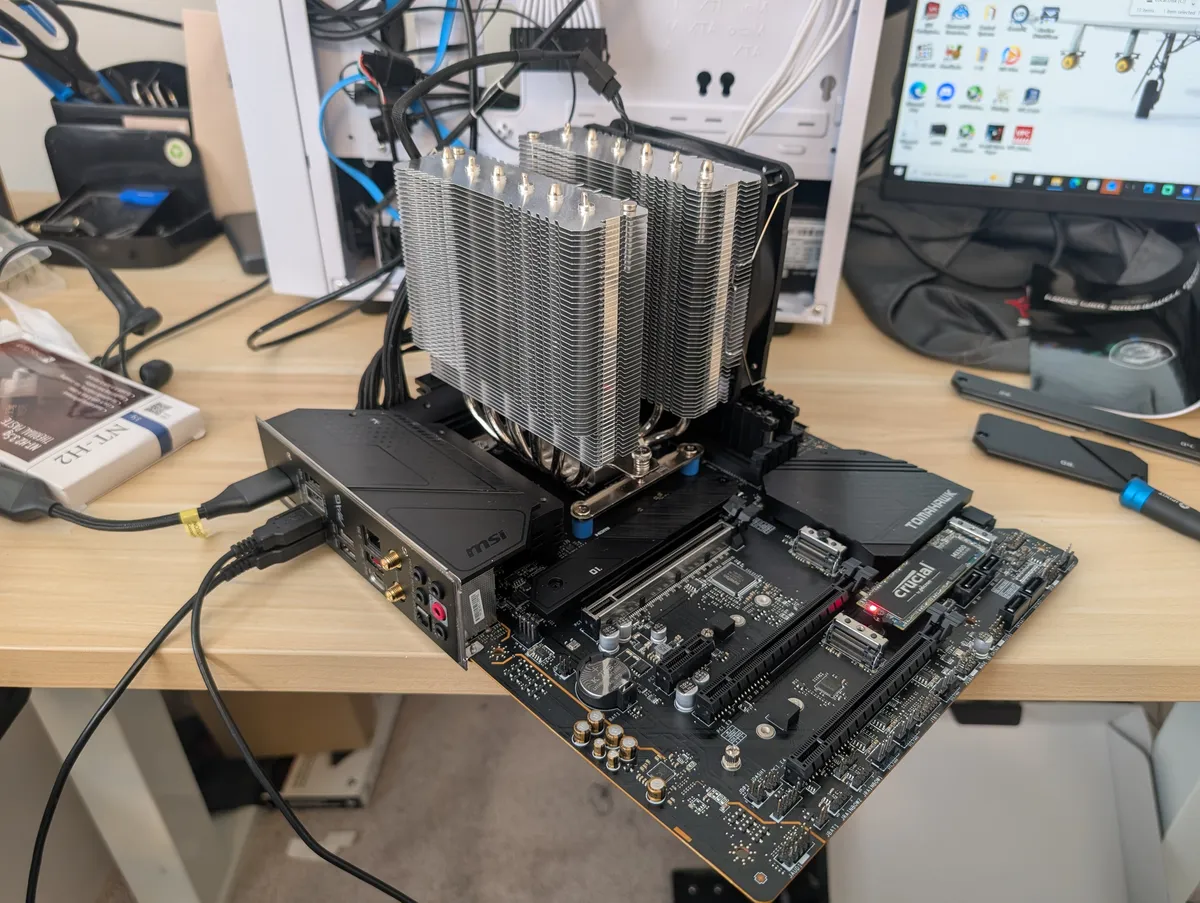
A key step in any PC build is the breadboard test - seeing if it boots with as few parts as possible. In this breadboard, I connected the motherboard to the old cases' power supply and booted it with the CPU, Cooler, RAM, and a my old SSD installed. Would you believe it, it actually worked the first time! This gave me the confidence I needed to continue assembly.
Case
As stated above, I am recycling my Silverstone FARA R1 window case in white. The case is a bit old and it has no front-facing USB-C ports, but it is suitable for my needs.
This PC sits in a shared office, so I need to to be quiet. I've replaced its four stock fans with four Noctua NF-A12s, with that goal in mind.
Finally, since the case has a window I added RGB LED strips for tasteful, simple interior lighting. These connect to a header on the motherboard and can be controlled via MSI's software.
GPU
I picked the NVIDIA 5070 Founders' Edition. I am not a big fan of RGB and tend to appreciate the aesthetic of the Founders' Edition cards. I am a little disappointed that it has only 12 GB of VRAM, but I appreciate the fact that it could be readily purchased at MRSP ($549). The 5080, with higher performance and 16 GB of VRAM, is far more future-proof but would have required that I spend more money for the card itself and upgrade my power supply.
In retrospect, I should have considered third-party 5070ti models, which are a better balance of price-to-performance, but NVIDIA doesn't make a model.
Storage
I re-used my PNY CS900 240 GB and Crucial MX500 1 TB (M.2 SATA) drives from previous builds, but also added a Western Digital WD_Black SN850X 2 TB which was on sale for $200. This again is more expensive than it was a year ago, but also considerably less expensive than the current price.
PCI slots
Slot 1, of course, is reserved for the GPU. Slot 2 is too close to Slot 1 to be useful - the GPU is rather thick. I had a Vive Wireless Adapter that I've never been able to install because I've never had an extra PCI slot before, so that's going in slot 3. (I've had better headsets, but the original Vive is still my favorite for reasons I might discuss another day.)
I also added an Allegro Type USB-A 3.2 4-Port card in slot 4, because you can never have enough USB ports.
Assembled
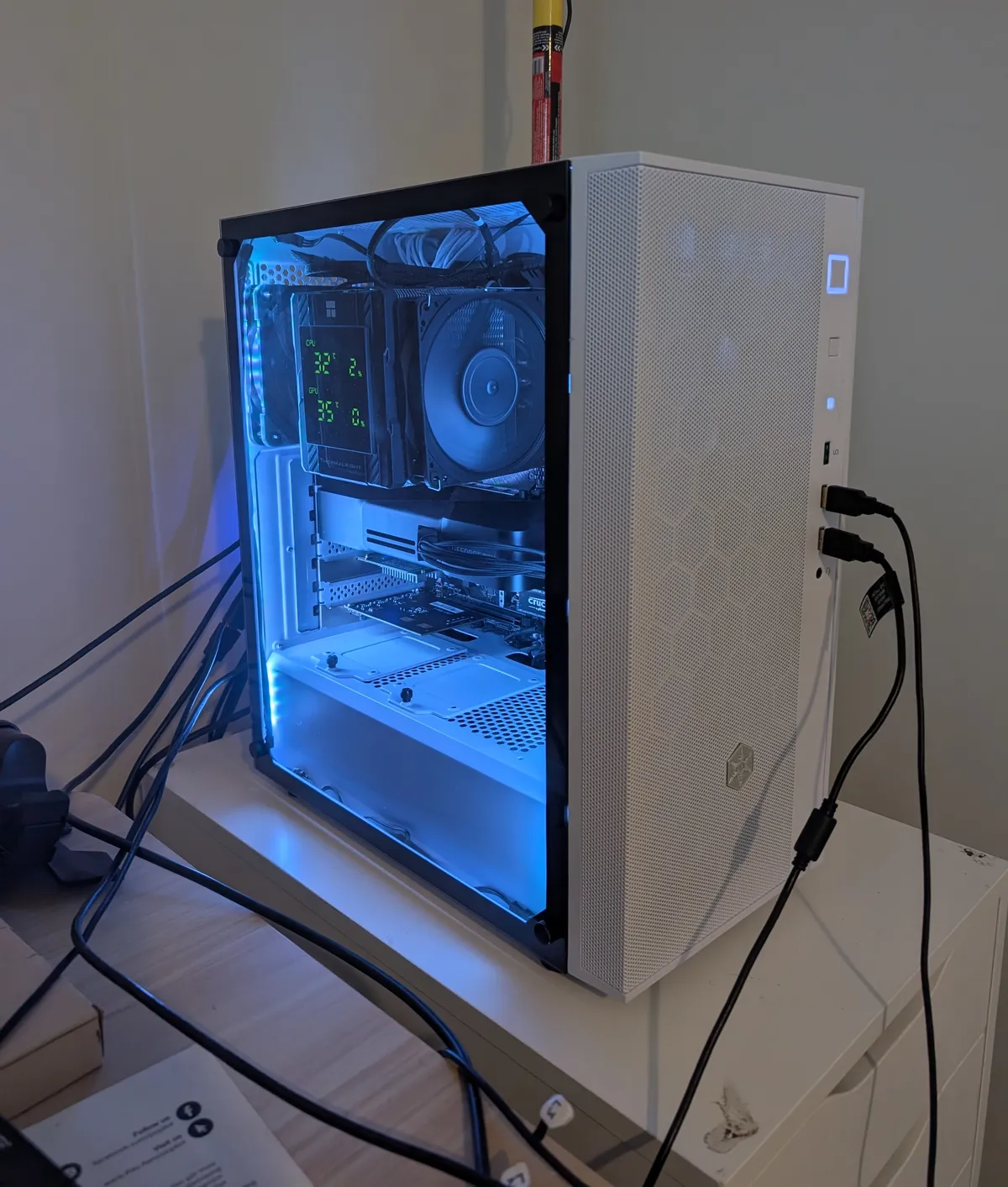
This is the machine, more or less fully assembled:
Maybe next I'll do a post on performance and benchmarking.